
A real Mac app, not a web page in a wrapper
Built natively in SwiftUI — real window chrome, a real menu bar with keyboard shortcuts, light & dark mode, and the speed and polish Mac users expect. It looks like it belongs on macOS because it does.
The build log every homebuilder wishes they’d kept. Phases, hours, photos, contributors, and squawks — organized into a clean, professional record you actually enjoy keeping, and can print or hand off the day you go flying.
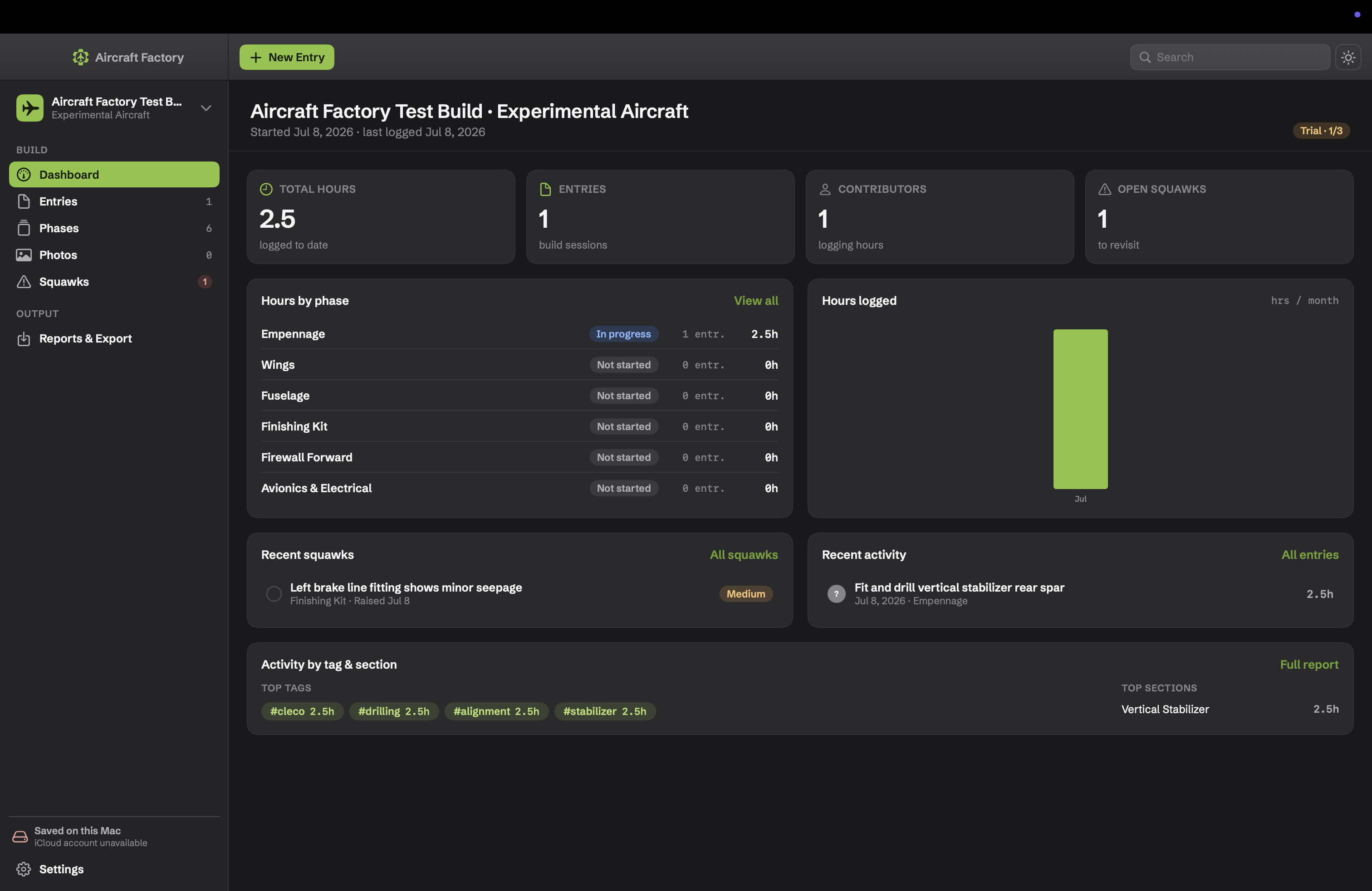
Switch between views, then click any screen to open it full-screen.
Six reasons builders trade the shoebox of receipts for Aircraft Factory.
Built natively in SwiftUI — real window chrome, a real menu bar with keyboard shortcuts, light & dark mode, and the speed and polish Mac users expect. It looks like it belongs on macOS because it does.
A free iPhone capture companion opens straight to the camera — every shutter tap files a photo to the right build and phase and syncs automatically. No clean hands required.
Everything syncs automatically over iCloud — on every Mac signed into your Apple ID, plus your iPhone, safely backed up. No accounts, no subscription, no server we hold hostage.
Every entry is the single source of truth; hours, photo counts, and progress are derived automatically. Delete a build by mistake and it waits in a 30-day trash you can restore from.
No subscription. Licensing is per-build with purchasable slots, so you pay only for the builds you keep — and try before you buy.
Each work session is a dated entry — hours, phase and section, who logged them, and a Markdown write-up. Attach photos, tag it, note the plan page, and it all rolls up automatically.
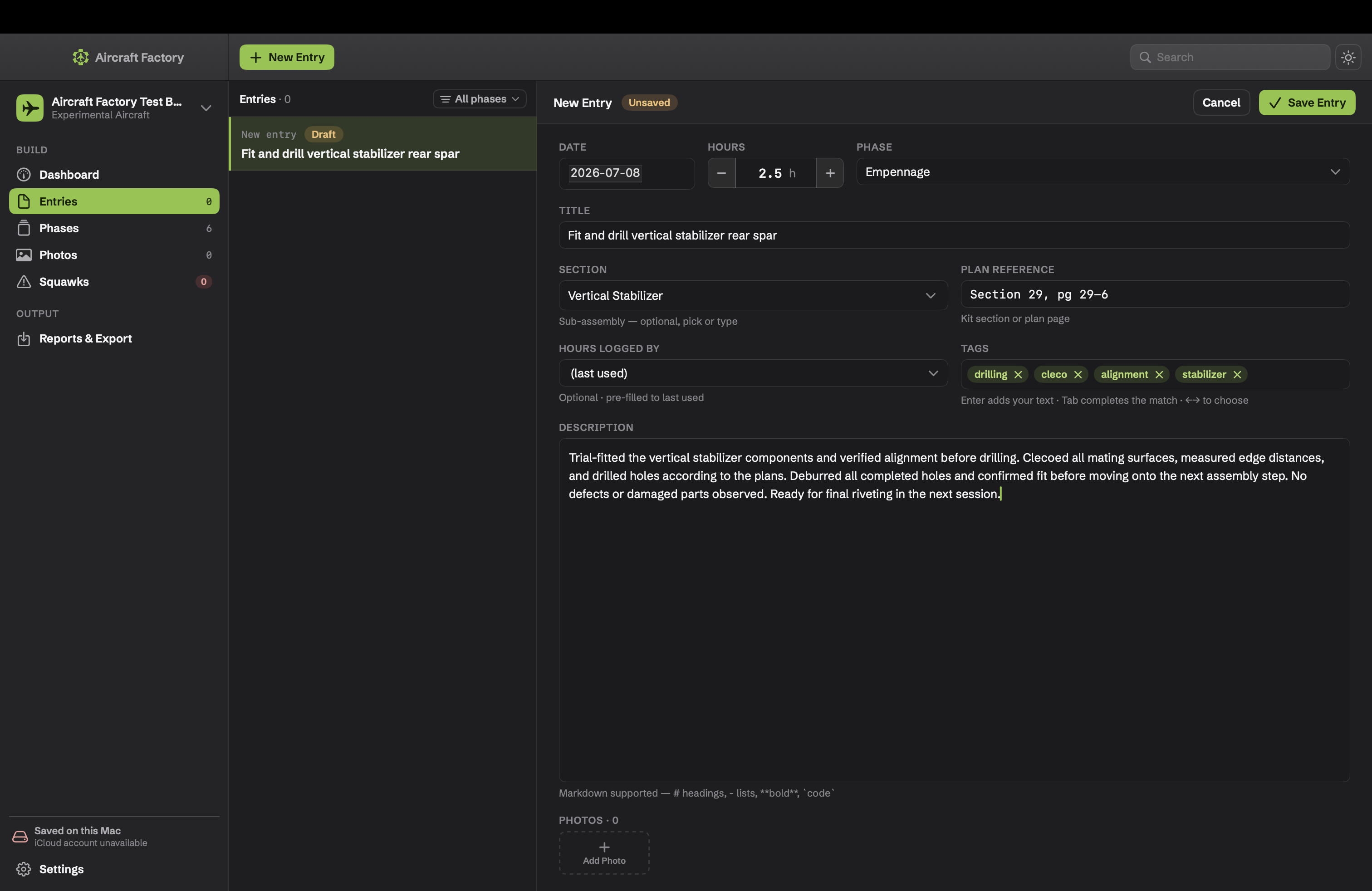
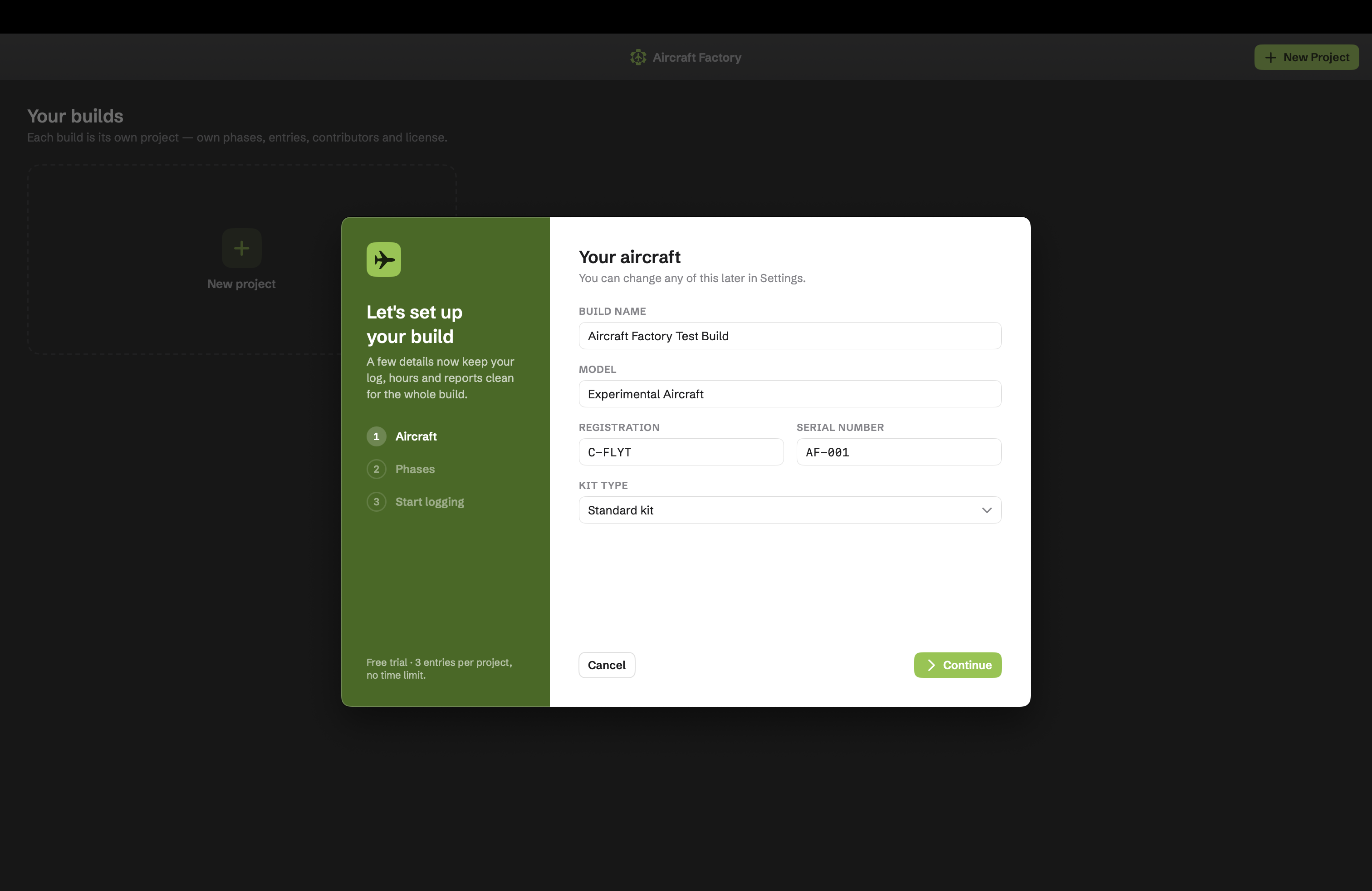
The New Build wizard walks you through the aircraft details and a phase structure, so your log, hours and reports stay clean for the whole build.
A free iPhone app built for one job: getting shop photos into your log without slowing down.
Opens straight to a live viewfinder — the camera is the home screen.
Each shutter files a photo to the current build → phase, into today’s session.
Flagged as iPhone-origin so you always know where a shot came from.
Write-ups, reports and purchasing stay on the Mac, so the phone stays dead-simple.
A free add-on to the Mac app — it syncs into builds created on the Mac and has no standalone value.
Produce a clean, paginated PDF or printout — log, hours summary, photos and squawks — laid out like a real printed document.
Organize into phases and sections that match the kit. Builder-set status; hours and entry counts roll up automatically.
Drag, paste, import, or pull from Photos. Continuity Camera, an in-app viewfinder, full-screen lightbox, and a cover photo per build.
Track who worked on what — builders, helpers, and A&Ps — with hours rolled up per contributor.
A visual library of all your builds with cover-photo cards, plus 30-day Recently Deleted with one-click restore.
Export every build — photos included — as a single .afbackup file you control, to move to another Mac or restore from. Plus a developer export: library.json + your photo files.
Menu-bar shortcuts, full light/dark mode, the Jamlabs-green accent and bundled Neuzeit Grotesk typeface.
Try free, then buy build slots as you go — or unlock unlimited.
Start a build and log up to 3 entries before a license is needed.
A one-time App Store purchase that unlocks one build. Reassign a slot between builds with a short cooldown.
Unlock every build, forever — with a discounted upgrade path once you’ve bought a slot.
The build log you’ll actually keep. Your build. Your data. On every device.
Download for MacRequires macOS 14+ · iCloud sync optional · works fully local